WOMPar · The reference reconstruction system

Your photo.
A world you can step into.

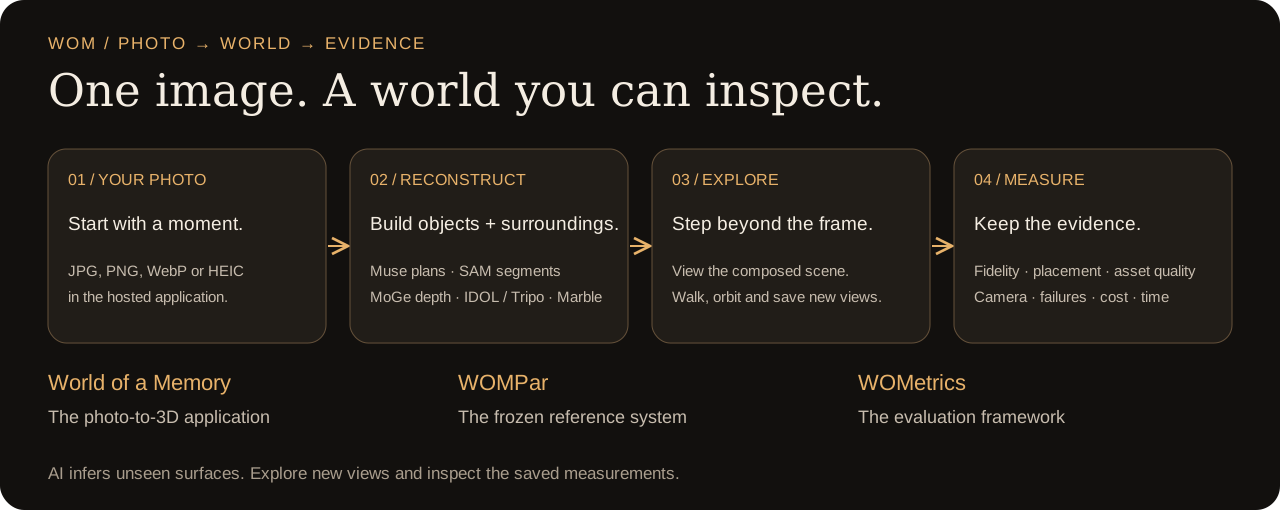
WOM rebuilds objects and their surroundings from a single image. Explore the scene from new angles, then inspect how faithfully it preserves the source with WOMetrics.

Create 3D from your photo ↑Explore the sample world ↗

The sample is open to everyone. To create your own world, sign in and add credits in the app. No API keys or local setup needed.

Choose your photo, reconstruct its objects and surroundings, explore the 3D scene, and inspect saved measurements.

Your first world

  1. Choose a sharp photo with clear foreground subjects.
  2. Sign in, add credits, then choose Create this memory.
  3. Enter the finished world and open WOMetrics for its generation facts and available measurements.

JPG, PNG, WebP, AVIF, iPhone HEIC and short videos are supported. AI infers the surfaces outside your photograph.

Choose your photo ↑

One key. Your image. 3D.

Use Node 22.18+ and your own AI3D key. No dependency installation required. Add AI3D_API_KEY to .env in the extracted folder, then replace the image path:

tar -xzf wompar-demo.tar.gz
cd wompar-demo
node demo/wompar/wompar.mjs --provider ai3d \
  --source "/absolute/path/to/my-photo.jpg"

Get world.spz, an HTML report and a resumable job record. One paid Marble draft generation; the default reservation ceiling is $2 and the final charge can differ.

Download the standalone demo ↓
Inspect the results.

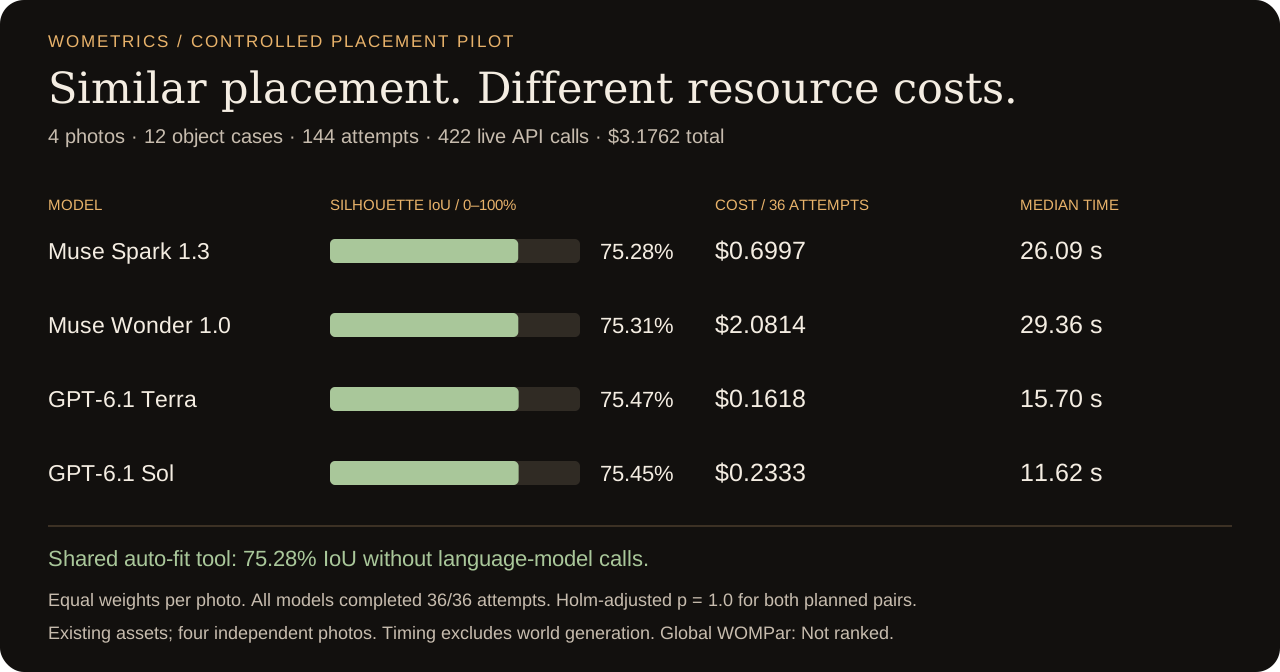
144 fresh placement attempts. Four models. Four source photographs. Quality, cost and time reported together, with the protocol and trial data behind them.

Controlled placement study: Muse Spark 75.28 percent IoU, Muse Wonder 75.31, GPT-6.1 Terra 75.47, GPT-6.1 Sol 75.45; model-token costs and median attempt times vary.

This placement pilot uses existing development assets and a shared auto-fit tool. It does not establish broad model superiority or a global WOMPar ranking. The saved comparison is a separate, single-photo object-split case; it makes no model calls.